Digital Kunqu Opera Scale Query Website
Tag: Kunqu Opera Gongchi Pu
Chinese Websites: https://gongchepu.net/ Enter The Website
Kunqu Gongchi Pu "is a website specifically designed for Kunqu enthusiasts to search for Kunqu Gongchi Pu. Users who love Kunqu can search for various scores here and also use the online Gongchi Pu editor provided by the website.
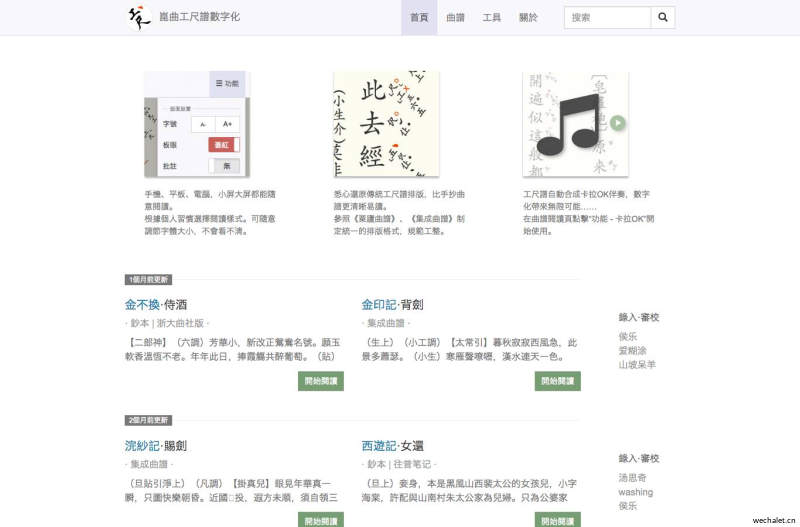
As long as you can understand the scale sheet and input text in a specific format, you can get a formatted digital scale sheet. To talk about the usage of Kunqu Gongchi Pu Editor:
-
Click on the "Volunteer Workshop" in the bottom left corner of the homepage to log in and enter the score you want to edit.
-
Enter the script. The script is plain text, examples and syntax can be found in the rest of this article.
-
During the input process, you can use the Ctrl+S shortcut key to save the draft at any time, and use the ESC shortcut key to switch between "Edit"/"Preview" modes. Or double-click on the preview page to enter editing.
-
After completing the input of the whole sheet music, please click the "..." button in the upper right corner of the editor to pop up a hidden menu, and use the "Plate Eye Error Check" function to assist in checking. After confirming the accuracy, click "Submit for Review".
When entering the scale notation, please try to maintain the variant spelling of the original notation. Move the cursor behind the word you want to edit, press Ctrl+Y shortcut key, and all variant characters of the word will pop up for selection.
The lyrics and song names do not have prefixes, and the song names are automatically recognized by 【】.
Adding annotations pz {} after the lyrics will display a small sticker on the sheet music. Annotation stickers can be hidden in the functional options. The difference between annotations and notes: Annotations will not be displayed on the sheet music. The difference between Jia Bai and Nian Bai: In the music score, those who sing in the same vertical line are considered Jia Bai, while those who are divided into three vertical lines are considered Nian Bai. If two people are reciting at the same time, place them in square brackets separated by the " |" symbol, as in the last paragraph of "Nanpu" where the sentence reads: "Ah ah, the lady is scared
Side note:
Write next to the curly braces' {} 'after the lyrics. In the Chrome browser, select a song and press the '{' key. The program will automatically add a pair of curly braces to each word. Press enter inside the curly braces, and the cursor will jump to the next line of curly braces. This way, when continuously inputting music, there is no need to lift your hand and press the directional keys.
The plus sign "+" after the gauge indicates a high octave, and the minus sign "-" indicates a low octave. For example, in the preface to the ending of "Nanpu", the characters "once alone" and "dan" have the "up+", and the characters "in laws have no master" and "master" have the "work -". Decorative sounds are placed in parentheses "()", such as the "(5)" of the characters "infinite separation from emotions" and "separation" in the ending preface of "Nanpu". The side spectrum symbol table can be found in the lower left corner of the editor. The eye symbol is a number ranging from "1" to "8".