Mega Tags | The most complete social media meta tag generator
Tag: Label Builder
English Websites: https://megatags.co/ Enter The Website
Mega Tags is a META tag generator tool for websites and various media. It is very helpful for SEO optimization of search engines. This tool can help webmasters create the most complete META tags. It also supports the generation of tags and Twitter tags for Facebook, Google+, Pinterest and LinkedIn.
What is a website META tag? It is a method of providing various information descriptions for the current web page, such as web page title, description, URL, publisher and language, etc. (mainly placed in the source code). In order for search engines and social networking site machines to understand your web page, these tags must be specified so that the platform can directly access and display them to avoid errors caused in the middle. From these instructions, you can understand the importance of META tags.
How to use Mega Tags: Just open the web page, fill in the items you want to set, and you can quickly generate the corresponding META tag writing method, and then copy it to the web page.
First, after opening the website, select the type to be used from step 1, such as website, application (iOS, Android App), article, video or e-commerce website product. The types of tags that can be brought in should be different. By default, only Open Graph, that is, og tags, will be generated. If you want to generate Twitter
dedicated tags, you can check it.
Then fill in the relevant information of your page from the second step. The most important ones are the three items of web page title, description and website image. There will also be settings for Open Graph and Twitter
tags below. After filling in, the corresponding META tags will be automatically generated on the right.
Open Graph is a tag that many websites use. It is recommended to set it carefully (especially now that many website links will be reposted to Facebook. Setting these fields completely will help to display more correct information on social networking sites). Not every field of Open Graph must be filled in. For example, videos, administrator IDs or application IDs are not required options. If they are not used, just leave them blank.
After the settings are completed, click the pink "Copy Code" button on the right to copy all the generated META tags, paste it to the appropriate location of the website (usually between), and you're done!
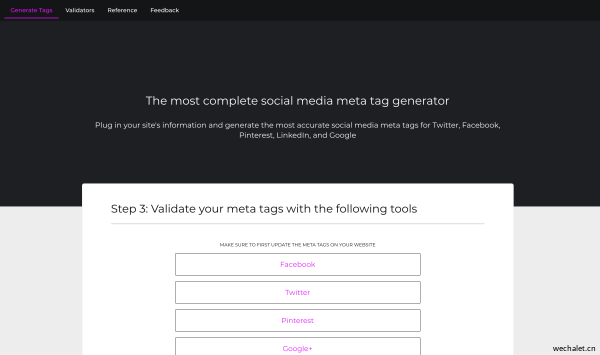
Finally, the Mega Tags website also provides several commonly used testing tools, including Facebook Debugger and Google Structured Data Testing Tool. Just connect to these websites and enter the link you just added to the META tag to test whether the display effect meets your expectations.
After testing with the Google Structured Data Testing Tool, you may find some errors or warning items. Remember to open the detection results to see which tags have problems and try to correct them to make them normal so as not to affect the website.